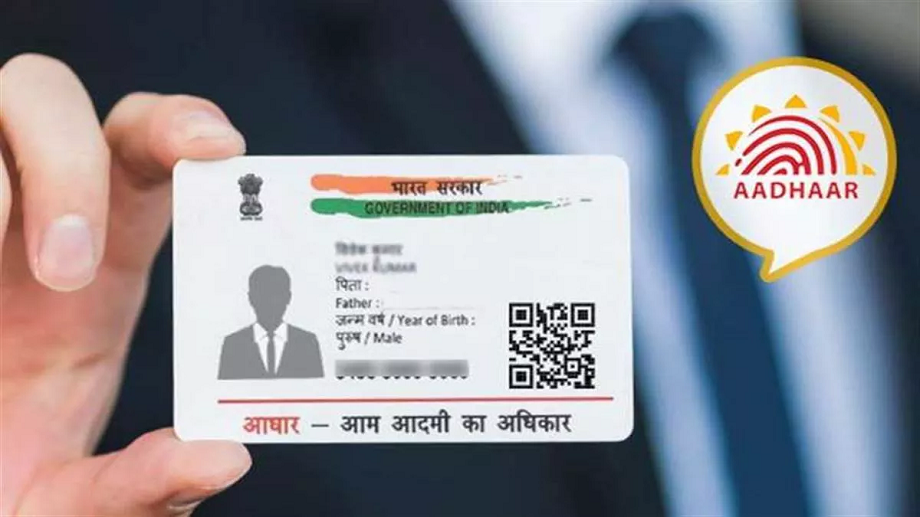
The Aadhaar card is one of the most important documents for Indian citizens, as it serves as proof of identity and residency while enabling access to various government and private sector services. Whether you have applied for a new Aadhaar card or requested updates to your existing Aadhaar, knowing how to check Aadhaar status is essential to stay informed about your application progress. This guide will help you navigate the process and provide tips on identifying counterfeit Aadhaar cards.
Importance of Tracking Aadhaar Application Progress
Before getting into the steps for checking Aadhaar status, it is important to understand why tracking your application is crucial. Aadhaar processing can occasionally experience delays due to verification issues, incomplete documents, or technical errors. Being proactive helps you ensure timely submission of any missing information required by the Unique Identification Authority of India (UIDAI).
Additionally, checking the status ensures transparency, allowing you to stay informed about the handling of your personal information.
How to Check Aadhaar Status
The UIDAI has simplified the process of checking Aadhaar status, making it accessible both online and offline. Follow these simple steps to check Aadhaar status and track your application progress:
1. Check Aadhaar Status Online
You can easily check your Aadhaar application status through the UIDAI website. Here’s what you need to do:
- Step 1: Visit the official UIDAI website at https://www.uidai.gov.in.
- Step 2: Under the “My Aadhaar” section, select Check Aadhaar Status.
- Step 3: Enter your Enrollment ID (EID), which is printed on the acknowledgment slip you received during the Aadhaar registration or update process. The Enrollment ID includes a 14-digit number and a timestamp.
- Step 4: Fill in the security code (captcha) displayed on the screen.
- Step 5: Click on “Check Status” to view the progress of your Aadhaar application.
The result will show whether your Aadhaar card is under processing, approved, or rejected due to discrepancies.
2. Check Aadhaar Status Offline
If internet access is unavailable, you can check Aadhaar status offline through the toll-free helpline number or by visiting an Aadhaar Enrolment Centre:
- Toll-Free Number: Call the UIDAI helpline at 1947. Provide your Enrollment ID to the representative for your application status.
- Enrolment Centre: Visit your nearest Aadhaar Enrolment Centre in person. Share your acknowledgment slip with the staff to receive an update on your status.
3. Status via mAadhaar App
The mAadhaar mobile app also allows you to check Aadhaar status:
- Download the mAadhaar app from your device’s app store.
- Log in using your Aadhaar number or Enrollment ID.
- Browse to “Check Aadhaar Status” and complete the captcha to view updates.
How to Check Fake Aadhaar Card
While the UIDAI ensures stringent security measures to prevent Aadhaar misuse, fake Aadhaar cards are occasionally used for illegal activities. Knowing how to check fake Aadhaar card can save you from fraud or scams.
1. Verify Aadhaar Using QR Code
Every Aadhaar card comes with a QR code printed on it. Scanning this code using the official mAadhaar app or Aadhaar QR code scanner will reveal the cardholder’s official details. If the details do not match official records, the Aadhaar may be fake.
2. Validate Aadhaar Number Online
UIDAI’s website offers an option to verify Aadhaar numbers:
- Go to https://www.uidai.gov.in.
- Click on “Verify Aadhaar Number” under the “My Aadhaar” section.
- Enter the Aadhaar number you want to verify.
If the system indicates that the number is invalid or does not exist, the Aadhaar card may be counterfeit.
3. Additional Checks
Always cross-check Aadhaar details such as name, date of birth, and address with other supporting documents to avoid complications. Ensure that the Aadhaar card format matches the UIDAI’s official design guidelines.
Common Issues While Checking Aadhaar Status
While checking Aadhaar status, some common issues may arise:
- Using an incorrect Enrollment ID: Double-check the information on your acknowledgment slip.
- Internet connectivity problems: Ensure a stable internet connection when checking status online.
- Technical glitches on the UIDAI portal: Retry the process later or use the offline methods instead.
In case of persistent issues, contact UIDAI directly via email or toll-free number for assistance.
Conclusion
Tracking your Aadhaar application progress is an essential step to ensure you receive your unique identification promptly. Whether you check Aadhaar status online, offline, or via the mAadhaar app, the process is straightforward with the guidelines provided by UIDAI. Furthermore, being informed about how to check fake Aadhaar cards can protect you from fraudulent activities and ensure proper use of the Aadhaar system. Staying proactive in managing your Aadhaar details will help you access government services and benefits seamlessly. When in doubt, always rely on official UIDAI resources for accurate information.

 Welcome to CreativeGeneralist.com, your premier destination for authentic news, captivating stories, and insightful posts curated from across the globe. We meticulously select diverse content to inform, entertain, and inspire.